How to Maximize Efficiency with a 5-Stack Screen Setup for Your Workspace
In today's fast-paced work environment, maximizing efficiency is crucial for maintaining productivity and achieving professional goals. A recent report by the International Data Corporation (IDC) revealed that employees using multiple monitors can increase their productivity by up to 42%. This highlights the importance of leveraging technological setups to enhance workflow and focus.
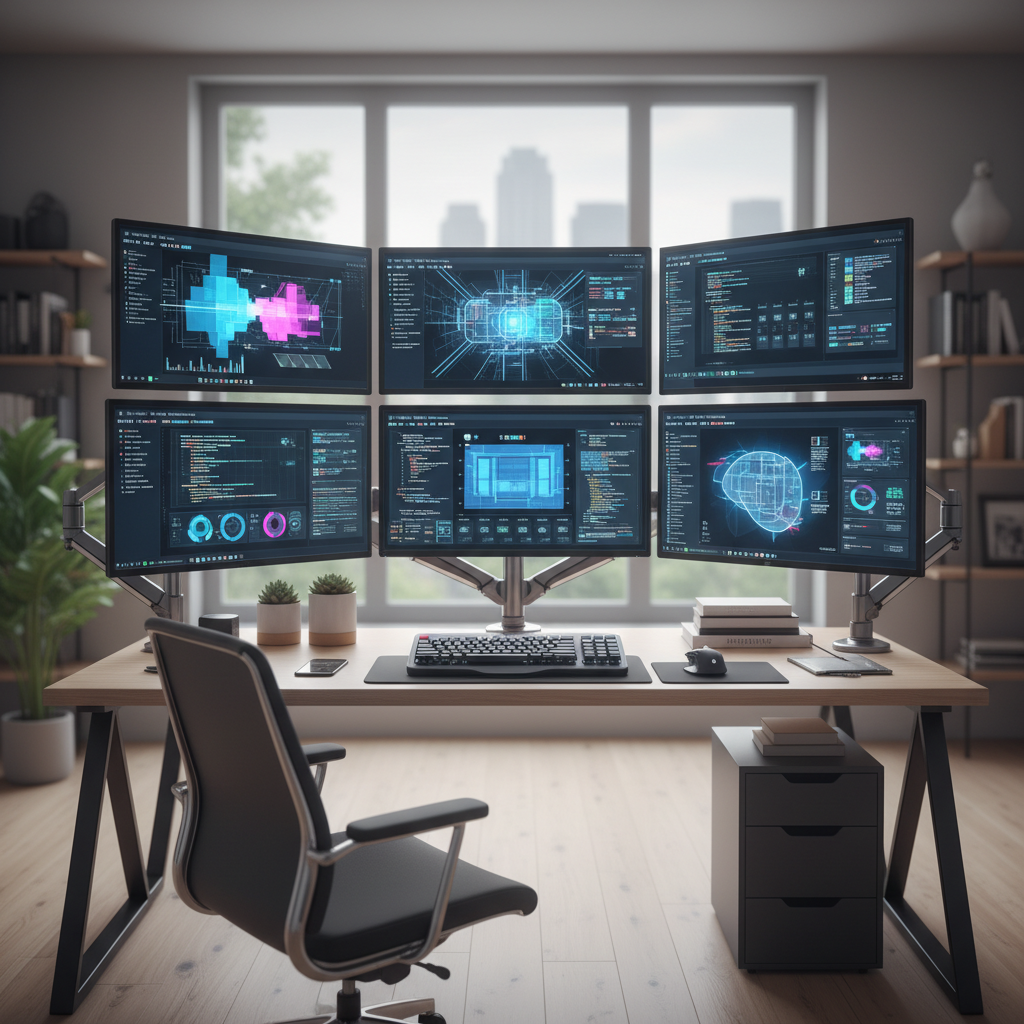 The innovative "5-Stack Screen" configuration, where five screens are arranged to create an expansive digital workspace, is an effective solution that allows users to multi-task seamlessly without the need to switch between applications constantly.
Furthermore, a study conducted by the University of Utah found that having multiple screens can lead to a 20-30% reduction in time spent on tasks like data entry and research. This efficiency stems from the ability to view multiple documents and applications simultaneously, which aligns perfectly with the demands of modern work responsibilities. Adopting a "5-Stack Screen" setup not only supports enhanced task management but also fosters a more organized work environment where information is easily accessible.
As professionals seek ways to adapt and thrive in their roles, exploring this multi-screen arrangement can be a transformative step in achieving optimal productivity levels.
Understanding the Benefits of a 5-Stack Screen Setup in Modern Workspaces
A 5-stack screen setup can significantly enhance productivity in modern workspaces by providing an expansive digital environment that facilitates multitasking. With multiple screens arranged vertically, users can easily access various applications and documents simultaneously, reducing the need to constantly switch between tabs or windows. This configuration not only maximizes visible workspace but also minimizes distractions, as users can keep their focus on relevant tasks without the clutter of overlapping programs.
Moreover, the benefits extend beyond mere visibility; a 5-stack setup can lead to improved organization and efficiency. Users can dedicate specific screens to particular functions—such as communication tools, project management software, or research materials—creating a streamlined workflow that promotes better time management.
The vertical arrangement also aids in ergonomics, as it allows for a more natural line of sight and can reduce neck strain associated with traditional horizontal setups. Overall, adopting a 5-stack screen configuration can transform the way individuals work, making them more efficient and focused in their daily tasks.
Essential Components for Building an Effective 5-Screen Configuration

To build an effective 5-screen configuration for your workspace, it is essential to prioritize the right components that will optimize both functionality and performance.
First, consider the screens themselves. Aim for monitors that offer vibrant colors, wide viewing angles, and adjustable stands to cater to different working heights. Ideally, the screens should have a uniform bezel size for a seamless visual experience. Choosing high-resolution displays can drastically improve clarity, especially for graphic design or data-intensive tasks.
Next, ensure that your computer can support multiple displays simultaneously. A powerful graphics card is crucial for a smooth experience without lag. Additionally, invest in quality cables and adapters that will provide stable connectivity.
Positioning is equally important; mounts or stands that allow you to arrange the monitors ergonomically will help reduce strain on your neck and eyes. Lastly, consider adopting software solutions that facilitate window management across multiple screens, enhancing your ability to multitask efficiently. With these essential components in place, you can transform your workspace into a productivity powerhouse.
Optimizing Screen Arrangement for Enhanced Workflow and Productivity
To optimize screen arrangement in a 5-stack screen setup, it's crucial to consider both the physical layout and the alignment of tasks. Position the primary screen at eye level, ensuring it serves as the focal point for your main applications and communications. The secondary screens should be arranged in a way that minimizes head and neck movement, preferably angled toward your seating position. This arrangement not only enhances comfort but also allows for quicker access to information across multiple displays without unnecessary strain.
Additionally, grouping similar tasks or applications on specific screens can streamline workflow. For instance, dedicating one screen to email and communication tools, while another focuses on document editing or data analysis, creates a seamless transition between tasks. Utilizing software solutions that allow you to manage windows effectively will further improve productivity, as it ensures that you can navigate your workspace without distraction. Implementing keyboard shortcuts and customizing screen layouts can also play a significant role in maximizing efficiency in this advanced setup, empowering you to multitask effectively and maintain focus.
Key Software Tools to Complement Your Multi-Screen Workspace
A multi-screen setup can significantly enhance productivity, especially when paired with the right software tools. To truly leverage a 5-stack screen configuration, it is essential to choose applications that optimize workspace efficiency. For instance, window management tools like "DisplayFusion" or "Ultramon" allow users to easily organize and manage multiple applications across various screens. These tools enable customized layouts, making it simpler to keep an eye on critical tasks without the hassle of constantly switching windows.
Additionally, collaboration and communication tools such as "Microsoft Teams" or "Slack" can transform how you interact with your team. With multiple screens, users can have communication platforms open on one display while working on projects or presentations on others. This setup fosters seamless interaction and quick feedback, enhancing the overall workflow. Integrating task management software, like "Trello" or "Asana," can further streamline your process, allowing you to view ongoing projects and deadlines at a glance. By selecting the right combination of software tools, a multi-screen workspace can become a powerhouse of efficiency and productivity.
Maximizing Efficiency with a 5-Stack Screen Setup: Performance Analysis
Best Practices for Maintaining Focus and Reducing Distractions in a 5-Screen Setup
Setting up a 5-stack screen configuration can greatly enhance your productivity, but it comes with its own set of challenges. One of the primary concerns is maintaining focus amidst the distractions that so many screens can create. According to a study by the American Psychological Association, multitasking, which often occurs with multiple screens, can lead to a significant decrease in productivity, with some estimates suggesting a drop of up to 40%. To mitigate this, establish a clear organization within your workspace. Use each screen for specific tasks—dedicating one for emails, another for project management, and others for research or communication tools. This delineation helps in reducing the cognitive load and promotes deeper focus on individual tasks.
Tips:
- Implement time-blocking techniques by assigning specific time slots for tasks on each screen, thereby enforcing discipline in your workflow.
- Utilize focus-enhancing tools such as website blockers to minimize distractions from social media or unrelated topics while working on your primary tasks.
Perhaps most importantly, take regular breaks. A study from the University of Illinois highlights that the brain can effectively focus for only about 25 minutes before succumbing to fatigue. By scheduling breaks, you can reset your focus and improve overall efficiency, allowing you to maximize the benefits of your 5-screen setup.
 No. 14, Building 2, No. 367 Beijing Road, Chengdu Economic and Technological Development Zone (Longquanyi District)